Q: Is MS Outlook required to run the software in machine?
A: No, there is no need to install MS Outlook in your machine to run our software.
Q: I have 25000+ MSG contacts; can I want to convert them all on vCard format at once?
A: Yes, you can convert unlimited MSG files in one go with our batch conversion option. Just before doing conversion save all .msg files in 1 folder, then browse that folder using "Add Folder having MSG File(s) button".
Q:Does the software create single vCard for entire MSG contacts?
A: No, the software will not create single vCard for all MSG file. Instead, it will create single vCard (.vcf) file for each MSG file and keep them saved in a common folder.
Q:Is there any MSG file size limitation that software Impose while conversion?
A: No, It does not impose any limitation on MSG file size. It is possible to convert any size of .msg file into vCard (.vcf) file.
 (4.9/5 Reviews)
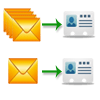 Software offers you the conversion capability in both single conversion mode and batch conversion mode. In Single file conversion mode of MSG to vCard converter option, you have to select MSG files individually, whereas, in its batch mode you can select entire folder of MSG file in single go. Select any of the option as per your need.
.png) During conversion of contacts to vCard, the software automatically save the entire details in vCard format. So all the details like – contact info (name, address, website, phone number, activities, etc. remain safe during conversion by the MSG to vCard converter. There will be no loss of any data.
During conversion of contacts to vCard, the software automatically save the entire details in vCard format. So all the details like – contact info (name, address, website, phone number, activities, etc. remain safe during conversion by the MSG to vCard converter. There will be no loss of any data.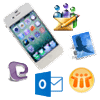 The Converted VCF file can be supprted by multiple applications. They can be imported to any email client like MS Outlook, Gmail, Lotus Notes, Apple mail, any Smartphone. MSG to vCard Converter is advanced tool which converts the contacts in vcf format which is supported by a number of applications.
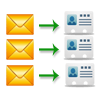 MSg to vCard software will save all the MSG contacts in separate VCF file, so there will be no mixing up of contacts. Each .msg file will have its details in respective .vcf file saved with similar file naming. Whether chooosing for msg files or folder each msg file will be converted in different vcf format.
 The MSG to vCard Converter is able to convert both ANSI & UNICODE type of MSG files. You can convert MSG files to VCF of any MS Outlook editions like – Outlook 2016, Outlook 2013, 97, 98, 2000, 2002, 2007, 2010, 2011, etc.
 It is must to know that MSG to vCard is completely Windows based tool; you can run this software in whichever Win OS edition you have in your machine. This software is compatible with all the edition of Windows OS which will support Windows 10 also.
.png)
.png)
.png)