MSG to MBOX Converter
Convert multiple emails messages in MSG format. Converts MSG of all size – No Limitation of file size. View converted MBOX files in platforms like – Thunderbird, Entourage, Poco Mail, Eudora, NetScape Mail, Mac Mail, Earth Link, Mail Copa, Turnpike, SpiceBird, Berkeley, The Bat & other. Converts MSG of all size – No Limitation of file size and Supports conversion of ANSI & UNICODE MSG files without data loss.
Support all Outlook Version to convert MSG files and Easy to use tool, it has very simple graphical interface.
See the Top-Features of MSG to MBOX Converter
- Two file Conversion options More
- Save Email in Original Formatting More
- Conversion with Attachment files More
- View files in any MBOX Platform More
- All Metadata info is retained More
- All Outlook Edition supported More
 (4 Reviews)
 You can convert files in batch, for that you have to save all messages in a single folder then using the Add folder option convert the entire folder at once into MBOX. Another option is single conversion, click on Add MSG files option & manually select each file 1 by 1.
 A crucial part of any message is its formatting, with this software you can be sure that all the formatting will be accurately saved in MBOX. So there is no need to worry about the, background, layout, links, font, color, etc. The software will keep them all intact.
 This program transfers files along with the attachments, keeping them embedded within the emails. You do not need to provide any separate instruction for that, also it will maintain the messages in the exact folder structure as they were originally in.
 As the Outlook messages are converted into MBOX format, so you will able to view them in multiple applications like - Thunderbird, Entourage, PocoMail, SeaMonkey Mail, Mac Mail, Evolution, Eudora, NetScape Mail, Mac Mail, Earth Link, Mail Copa, Turnpike, SpiceBird, Berkeley, The Bat & others.
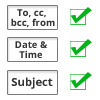 During the conversion the software accurately retains all the Metadata properties such as – email id's, from, Bcc, to, Cc, time & date of send/received, subject line, images, etc. It also very proficient keeps in record the read/unread status, important mail, etc.
 With this program you can convert UNICODE & ANSI code Outlook MSG into MBOX format very easily with attachments. To put it simply you can convert MSG from MS Outlook 2016, Outlook 2013, 2010, 2007, 2003, 2000, etc.
.png)
.png)
.png)
.png)